
Manage your health care anytime, anywhere with Epic + MyChart.
Your Health. Your Care.
All in One Place.

We’re committed to making your health care experience as convenient, connected and personalized as possible. That’s why we’re moving to Epic, one of the nation’s leading electronic health record (EHR) systems. MyChart is the secure online portal that gives you easy access to your health information. You can use Epic and MyChart to manage your health care in one place. Check test results, request appointments, message your care team and pay your bill all from your computer or phone.
Manage your care with ease
Request appointments, prescription refills, and communicate securely with your care team.
Access your health information anytime
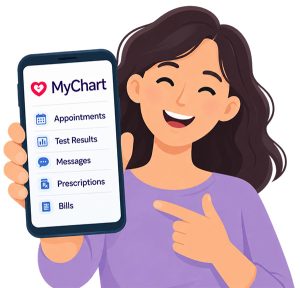
Take care of health care tasks online
Check in for appointments, manage your bills, and choose paperless billing from your MyChart account.
Take Control of Your Health Care
With MyChart, you can stay connected to your care and manage many everyday health care tasks online — when it’s convenient for you.
Check In for Your Visit
Save time before your appointment by completing available check-in tasks through MyChart.
View Test Results
Access available test results online as they are released to your MyChart account. Results may be available after your care team has reviewed and released them.
See Your Medical Records
View important health information in one secure place, including available medical information and visit summaries.
Pay Your Bill – Go Paperless
Manage your health care billing online and make payments through MyChart.
Request Prescription Refills
Request refills for eligible medications directly through MyChart. If a medication isn’t eligible for online refill requests, you can contact your care team or clinic.
Communicate With Your Care Team
Send secure messages to members of your care team through MyChart. Depending on your care team’s setup, the providers available for messaging may vary.
Proxy Access for Caregivers & Parents
Help manage health care for a family member or someone in your care with proxy access. Parents and authorized caregivers can use MyChart to access the health information available to them.
Request Appointments
Request or schedule available appointments through MyChart. Appointment availability depends on your care team’s scheduling options and the providers and dates available through MyChart.
Stay Connected to Your Care

MyChart can bring important health care information together in one convenient place. If you receive care from participating organizations, you may also be able to connect accounts and view certain health information from those organizations within MyChart.
Keep track of your health information, communicate with your providers, and manage your care — all from one secure account.

Connect to WHC
on MyChart
Download the MyChart app today and add Waverly Health Center to get started.
Scan to sign-up for MyChart. Already have MyChart? Scan to log in.

How to Log In
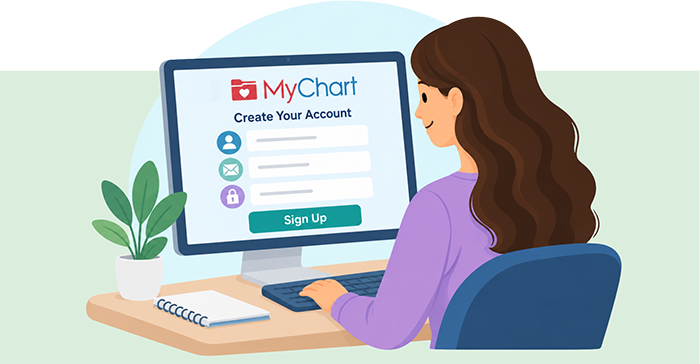
Getting started with MyChart is simple.
1. Go to MyChart
Visit your health care organization’s MyChart website or open the MyChart app.
2. Enter Your Login Information
Enter your MyChart username and password to access your account.
3. Complete Two-Factor Authentication
If prompted, enter the verification code sent to your verified email address or mobile phone.
Request Help
Frequently Asked Questions
Account Access
How do I sign up for MyChart?
Contact your health care organization or request an activation code. Activation links can be sent to the email address or mobile phone number already on file.
I received an activation code but it doesn't work. What should I do?
Verify you’re using the correct MyChart website, check your spam/junk folder, and make sure you’re using the most recent activation email or text message.
I forgot my username or password. How can I recover it?
Click**”Forgot Login Information?”** on the login page and follow the prompts to verify your identity using your email or phone number on file.
Why am I being asked for a verification code?
MyChart uses two-factor authentication (2FA) to help protect your health information by confirming your identity. If receiving a 2FA via text, it may come from UI Health Care or Waverly Health Center.
I no longer have access to my email or phone number on file. What should I do?
Contact your health care organization’s help desk for assistance. Additional identity verification may be required before changes can be made.
Messages
I sent a message to my provider but haven't received a response. What should I do?
Confirm the message appears in your MyChart Messages section. If it doesn’t appear, it may not have been sent successfully. Contact your clinic if needed.
Why can’t I send a message to a specific provider?
Only certain providers may be available for messaging, typically those actively using MyChart or those with whom you have an established care relationship.
Why can’t I reply to a message?
Older message conversations may close after a certain period. If replies are disabled, start a new message thread.
I'm not getting message notifications. How do I fix that?
Go to Account Settings > Communication Preferences and verify your notification settings are turned on.
Test Results
Why can't I see my test results?
Some results may be delayed while awaiting provider review, may not be released through MyChart, or may come from outside facilities that aren’t connected.
How will I know when a test result is available?
Enable notifications under Account Settings > Communication Preferences > Health.
Appointments
Why can't I schedule with a specific provider?
MyChart may only allow scheduling with your primary care provider, recent providers, or providers with whom you have upcoming appointments.
Why isn't my preferred appointment date available?
The schedule may be full, not yet open, or restricted for online scheduling. Contact the clinic for additional scheduling options or wait-list opportunities.
I'm getting an error when viewing a past appointment.
Try opening the appointment in a new browser window or use a different web browser.
Video Visits
My camera or microphone isn't working during a video visit.
Check that your browser has permission to use your camera and microphone, close other applications that may be using them, and test your equipment before the visit.
My video visit is freezing or lagging.
Close unnecessary applications, check your internet connection, and try refreshing the browser.
Would the mobile app work better for video visits?
Yes. Many patients experience fewer video issues when using the MyChart mobile app.
Medications
Why can't I request a refill online?
Some medications are not eligible for online refills, or a refill request may already be pending. Contact your clinic or send a message to your provider.
Proxy Access (Family Access)
Can I access my child's MyChart account?
Yes. Parents, guardians, and caregivers may be granted proxy access depending on organizational policies and required documentation.
How do I remove someone who has access to my account?
Contact your health care organization to revoke proxy access if it should no longer be active.
Billing
How do I sign up for paperless billing?
Paperless billing preferences can be managed through MyChart billing settings if enabled by your health care organization.
How can I tell if I'm enrolled in paperless billing?
Review your billing preferences or contact the billing department for assistance.
Connecting Other Health care Organizations
Can I view records from another health care organization in MyChart?
Yes. Through Happy Together, you may link MyChart accounts from participating health care organizations to view information in one location.
What information can I see from another organization?
Depending on the connection, you may see medications, allergies, health conditions, test results, messages, and appointments.
How do I connect another MyChart account?
Go to Sharing > Link My Accounts and follow the prompts.
Security & Privacy
Will MyChart staff ever ask for my password or verification code?
No. For your protection, never share your MyChart password or two-factor authentication code with anyone.
How is my identity verified when I contact the help desk?
Health care organizations follow strict identity verification procedures to protect patient information and prevent unauthorized access.
Contacting Help Desk
When to Contact Your Clinic or Help Desk
Please contact your clinic or MyChart Help Desk if you:
- Cannot log in after attempting password recovery.
- Cannot access your email or phone number on file.
- You believe that someone has accessed your account.
- Are missing important test results.
- Need assistance with proxy access.
- Continue experiencing technical issues after basic troubleshooting.